问题描述
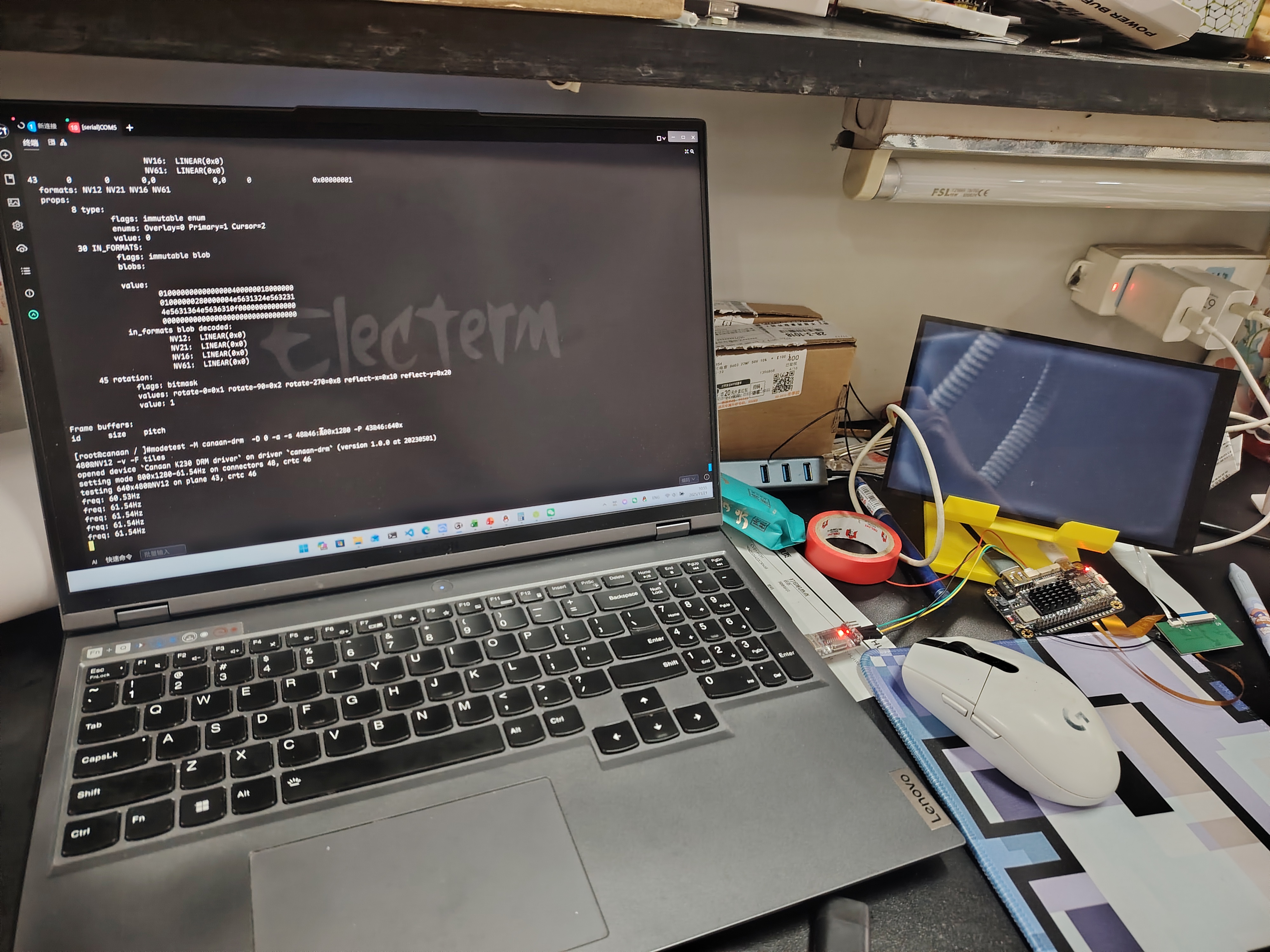
根据Linux LCD移植的步骤复现不了。
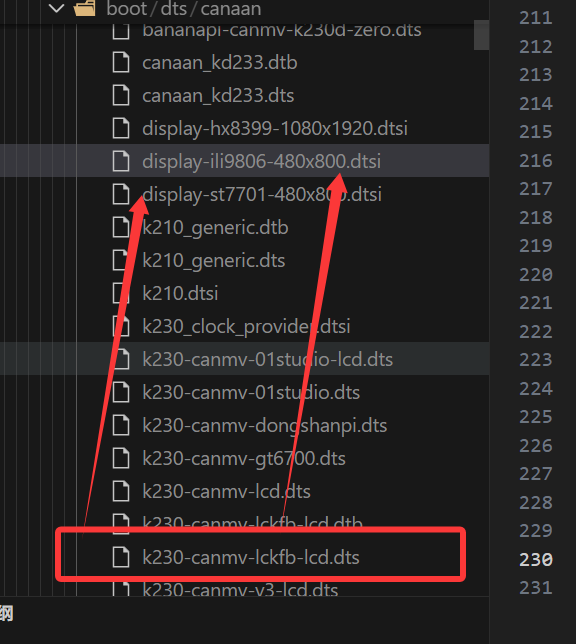
更改路径由立创庐山派群的老师提供output/k230_canmv_lckfb_defconfig/build/linux-7d4e1f444f461dbe3833bd99a4640e7b6c2cd529/arch/riscv/boot/dts/canaan/k230-canmv-lckfb-lcd.dts linux
这是庐山派linux的lcd设备树配置文件,通过引入display-ili9806-480x800.dtsi文件来实现屏幕的参数适配,下面的lcd配置均根据我这个屏幕厂商提供的参数(可能存在参数配置错误,我明天再找商家)。
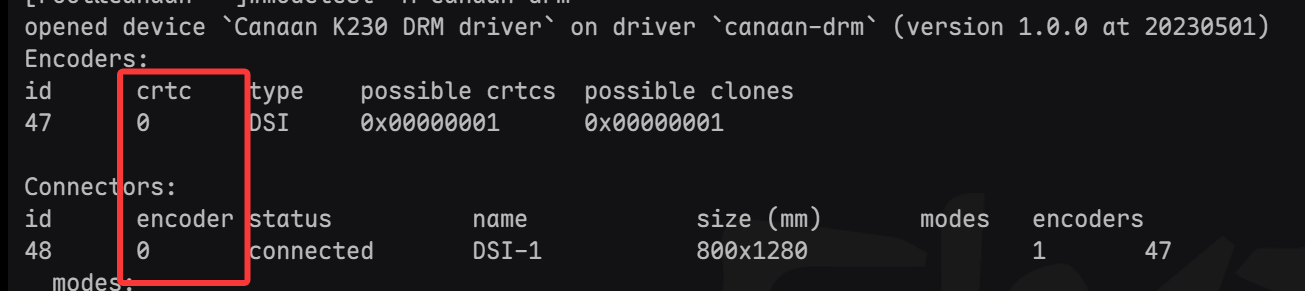
原工程引入的是display-st7701-480x800.dtsi,这个文件引入编译后可以在系统内测试出参数。
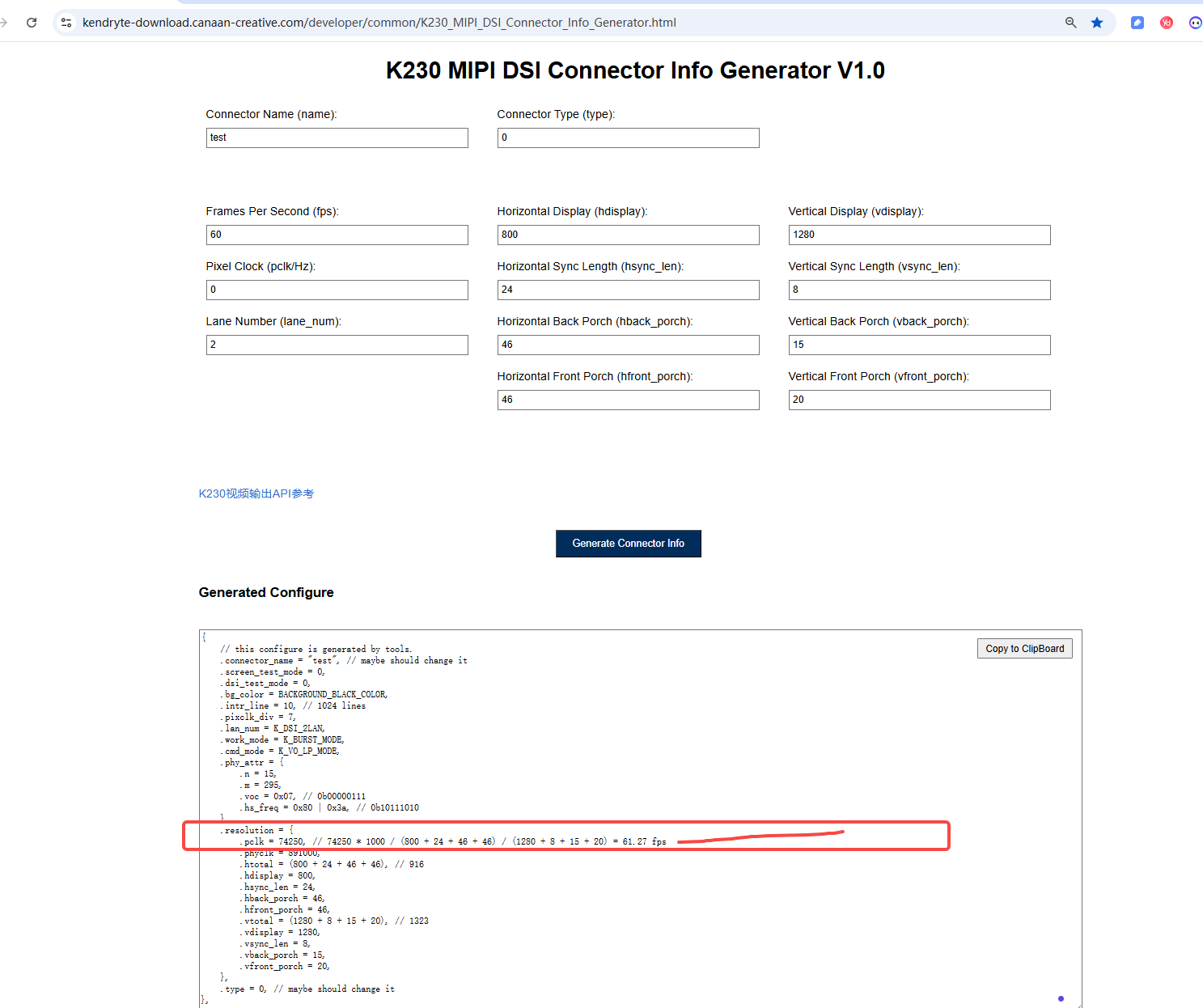
现在我不太明确的就是output/k230_canmv_lckfb_defconfig/build/linux-7d4e1f444f461dbe3833bd99a4640e7b6c2cd529/drivers/gpu/drm/canaan/canaan_dsi.c,这个文件里面说需要添加phy参数。。。
其实我第一次学linux,我也不知道怎么描述这个问题,我实在不知道我哪一步错了...
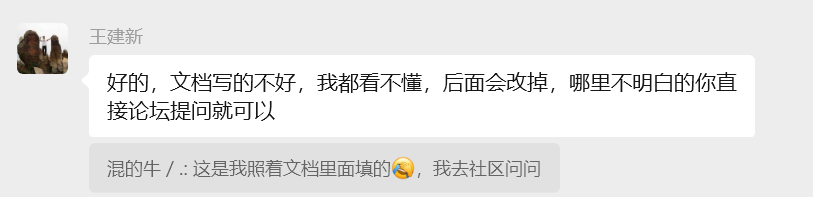
但是文档太抽象也不只有我觉得。。。
static void canaan_dsi_encoder_enable(struct drm_encoder *encoder)
{
	struct canaan_dsi *dsi = encoder_to_canaan_dsi(encoder);
	struct drm_display_mode *adjusted_mode =
		&encoder->crtc->state->adjusted_mode;
	struct mipi_dsi_device *device = dsi->device;
	int dsi_test_en = 0;

	DRM_DEBUG_DRIVER("Enabling DSI output\n");

	dev_vdbg(dsi->dev, "DSI encoder enable %u\n", adjusted_mode->clock);
	switch (adjusted_mode->clock) {
	//n=5 m=173 voc=0x0f freq=1011 0101=0xb5
	case 700000:
		void *dis_clk = ioremap(0x91100000, 0x1000);
        u32 reg = 0;
        u32 div = 7;

        reg = readl(dis_clk + 0x78);
        reg = (reg & ~(GENMASK(10, 3))) | (div << 3); //  8M =    pll1(2376) / 4 / 66
        reg = reg | (1 << 31);
        writel(reg, dis_clk + 0x78);
		// 700M
		k230_dsi_config_4lan_phy(dsi, 173, 5, 0x0f, 0xb5);
		// set clk todo
		dsi->phy_freq = 350000;
		dsi->clk_freq = 700000;
		break;
    default:
        dev_err(dsi->dev, "MIPI clock not support\n");
        break;
    }
	if (canaan_dsi_clk_cfg(dsi, adjusted_mode->clock))
		dev_err(dsi->dev, "MIPI clock not support\n");

	// set dsi lan num
	canaan_dsi_set_lan_num(dsi, device->lanes);
	// set lpdt
	canaan_dsi_lpdt_init(dsi, adjusted_mode);

	/*
	 * Enable the DSI block.
	 */

	if (dsi->panel)
		drm_panel_prepare(dsi->panel);

	/*
	 * FIXME: This should be moved after the switch to HS mode.
	 *
	 * Unfortunately, once in HS mode, it seems like we're not
	 * able to send DCS commands anymore, which would prevent any
	 * panel to send any DCS command as part as their enable
	 * method, which is quite common.
	 *
	 * I haven't seen any artifact due to that sub-optimal
	 * ordering on the panels I've tested it with, so I guess this
	 * will do for now, until that IP is better understood.
	 */
	if (dsi->panel)
		drm_panel_enable(dsi->panel);

	//dsi enable
	canaan_mipi_dsi_set_dsi_enable(dsi);

	if (dsi_test_en == 1)
		canaan_mipi_dsi_set_test_mode(dsi);
}
&dsi {
	ports {
		port@1 {
			reg = <1>;
			dsi_out_st7701: endpoint {
				remote-endpoint = <&st7701_in>;
			};
		};
	};

	lcd: panel@0 {
		compatible = "canaan,universal";
		reg = <0>;

		panel-width-mm = <800>;
		panel-height-mm = <1280>;
		panel-dsi-lane = <4>;

// 根据厂商提供的初始化序列
        panel-init-sequence = [
            // Page 3
            39 00 04 FF 98 81 03

            // GIP_1 配置
            39 00 02 01 00
            39 00 02 02 00
            39 00 02 03 57
            39 00 02 04 D3
            39 00 02 05 00
            39 00 02 06 11
            39 00 02 07 08
            39 00 02 08 00
            39 00 02 09 00
            39 00 02 0A 3F
            39 00 02 0B 00
            39 00 02 0C 00
            39 00 02 0D 00
            39 00 02 0E 00
            39 00 02 0F 3F
            39 00 02 10 3F
            39 00 02 11 00
            39 00 02 12 00
            39 00 02 13 00
            39 00 02 14 00
            39 00 02 15 00
            39 00 02 16 00
            39 00 02 17 00
            39 00 02 18 00
            39 00 02 19 00
            39 00 02 1A 00
            39 00 02 1B 00
            39 00 02 1C 00
            39 00 02 1D 00
            39 00 02 1E 40
            39 00 02 1F 80
            39 00 02 20 06
            39 00 02 21 01
            39 00 02 22 00
            39 00 02 23 00
            39 00 02 24 00
            39 00 02 25 00
            39 00 02 26 00
            39 00 02 27 00
            39 00 02 28 33
            39 00 02 29 33
            39 00 02 2A 00
            39 00 02 2B 00
            39 00 02 2C 00
            39 00 02 2D 00
            39 00 02 2E 00
            39 00 02 2F 00
            39 00 02 30 00
            39 00 02 31 00
            39 00 02 32 00
            39 00 02 33 00
            39 00 02 34 00
            39 00 02 35 00
            39 00 02 36 00
            39 00 02 37 00
            39 00 02 38 78
            39 00 02 39 00
            39 00 02 3A 00
            39 00 02 3B 00
            39 00 02 3C 00
            39 00 02 3D 00
            39 00 02 3E 00
            39 00 02 3F 00
            39 00 02 40 00
            39 00 02 41 00
            39 00 02 42 00
            39 00 02 43 00
            39 00 02 44 00

            // GIP_2 配置
            39 00 02 50 00
            39 00 02 51 23
            39 00 02 52 45
            39 00 02 53 67
            39 00 02 54 89
            39 00 02 55 AB
            39 00 02 56 01
            39 00 02 57 23
            39 00 02 58 45
            39 00 02 59 67
            39 00 02 5A 89
            39 00 02 5B AB
            39 00 02 5C CD
            39 00 02 5D EF

            // GIP_3 配置
            39 00 02 5E 00
            39 00 02 5F 0D
            39 00 02 60 0D
            39 00 02 61 0C
            39 00 02 62 0C
            39 00 02 63 0F
            39 00 02 64 0F
            39 00 02 65 0E
            39 00 02 66 0E
            39 00 02 67 08
            39 00 02 68 02
            39 00 02 69 02
            39 00 02 6A 02
            39 00 02 6B 02
            39 00 02 6C 02
            39 00 02 6D 02
            39 00 02 6E 02
            39 00 02 6F 02
            39 00 02 70 14
            39 00 02 71 15
            39 00 02 72 06
            39 00 02 73 02
            39 00 02 74 02
            39 00 02 75 0D
            39 00 02 76 0D
            39 00 02 77 0C
            39 00 02 78 0C
            39 00 02 79 0F
            39 00 02 7A 0F
            39 00 02 7B 0E
            39 00 02 7C 0E
            39 00 02 7D 08
            39 00 02 7E 02
            39 00 02 7F 02
            39 00 02 80 02
            39 00 02 81 02
            39 00 02 82 02
            39 00 02 83 02
            39 00 02 84 02
            39 00 02 85 02
            39 00 02 86 14
            39 00 02 87 15
            39 00 02 88 06
            39 00 02 89 02
            39 00 02 8A 02

            // Page 4
            39 00 04 FF 98 81 04
            39 00 02 6E 3B
            39 00 02 6F 57
            39 00 02 3A 24
            39 00 02 8D 1F
            39 00 02 87 BA
            39 00 02 B2 D1
            39 00 02 88 0B
            39 00 02 38 01
            39 00 02 39 00
            39 00 02 B5 07
            39 00 02 31 75
            39 00 02 3B 98

            // Page 1
            39 00 04 FF 98 81 01
            39 00 02 22 0A
            39 00 02 31 09
            39 00 02 35 07
            39 00 02 53 87
            39 00 02 55 84
            39 00 02 50 86
            39 00 02 51 82
            39 00 02 60 10
            39 00 02 62 00

            // Page 0
            39 00 04 FF 98 81 00
            39 00 02 35 00
            39 00 02 11 00
            05 78 00 00           // 延迟120ms
            39 00 02 29 00
            05 14 00 00            // 延迟20ms
        ];
		display-timings {
				timing-0 {
				clock-frequency = <70000000>;
				hactive = <800>;
				vactive = <1280>;

				hfront-porch = <46>;
				hback-porch = <46>;
				hsync-len = <20>;

				vfront-porch = <20>;
				vback-porch = <15>;
				vsync-len = <8>;

				// vsync-active = <0>;
				// hsync-active = <0>;
				// de-active = <0>;
				// pixelclk-active = <0>;
			};
		};

		ports {
			#address-cells = <1>;
			#size-cells = <0>;

			port@0 {
				reg = <0>;
				st7701_in: endpoint {
					remote-endpoint = <&dsi_out_st7701>;
				};
			};
		};
	};
};
硬件板卡
庐山派
其他信息

硬件板卡
庐山派
其他信息
其他信息