问题描述
AICube语义分割数据集不合法需要清洗,我的掩膜labelme2voc.py生成的,正常对于YOLO算法是可以用的。请问这里的掩膜到底是怎样的,网上也基本没有语义分割训练的AICube教程,也不知道这里掩膜该怎么生成?
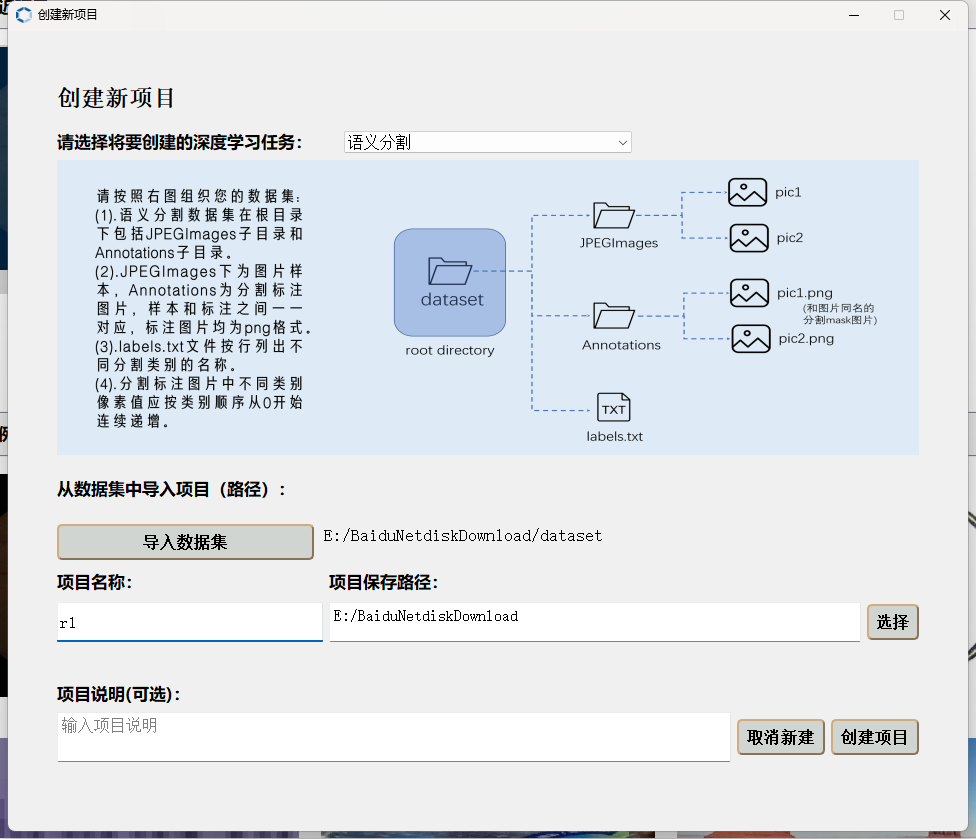
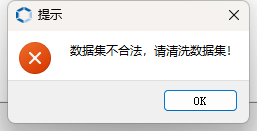
AICube语义分割数据集不合法需要清洗,我的掩膜labelme2voc.py生成的,正常对于YOLO算法是可以用的。请问这里的掩膜到底是怎样的,网上也基本没有语义分割训练的AICube教程,也不知道这里掩膜该怎么生成?
你好,你可以使用如下python脚本把Annotations中图片处理一下,用新生成的图片代替原来Annotations中的标注文件,就可以正常创建项目了:
import cv2
import numpy as np
import os

# 输入和输出目录
input_dir = 'Annotations'
output_dir = 'Annotations_new'

# 创建输出目录
os.makedirs(output_dir, exist_ok=True)

# 颜色映射
color_map = {
    (0, 0, 0): 0,         # 黑色背景
    (0, 0, 128): 1,       # 蓝色车道
    (0, 128, 0): 2,       # 绿色车辆
    (128, 0, 0): 3        # 红色人
}

def process_image(image_path, output_path):
    # 读取图片
    image = cv2.imread(image_path)

    # 转换为灰度图,初始化为全0(背景)
    gray_image = np.zeros(image.shape[:2], dtype=np.uint8)

    # 遍历每个像素,根据颜色填充灰度值
    for color, label in color_map.items():
        # 创建一个mask,检测所有匹配的颜色
        mask = np.all(image == color, axis=-1)
        gray_image[mask] = label

    # 保存处理后的灰度图
    cv2.imwrite(output_path, gray_image)

def convert_annotations():
    # 遍历Annotations文件夹中的所有PNG文件
    for file_name in os.listdir(input_dir):
        if file_name.endswith('.png'):
            input_path = os.path.join(input_dir, file_name)
            output_path = os.path.join(output_dir, file_name)

            # 处理每张图片
            process_image(input_path, output_path)

    print("所有图片处理完成!")

# 运行转换
convert_annotations()
你好,图片中的4写了标注应该怎么处理,比如一张640640的图片,那么他的掩码就是640640,每一个位置的像素看属于哪个类别,如果是背景就是0,如果是类别1,就是1,如果是类别2,就是2,最后生成的图片保存成png就行。
方便的话你把数据发邮箱wangyan01@canaan-creative.com吧,我看一下
