
K230 ADB Usage Guide#
ADB Function Description#
K230 supports Android Debug Bridge (ADB) functionality, providing capabilities for device debugging and file transfer. Through ADB, developers can interact with the K230 device on the PC side, including executing shell commands and transferring files. The ADB feature is particularly suitable for:
Remote debugging and log viewing
Application deployment and testing
File upload and download
ADB Configuration Instructions#
Board-side Function Configuration#
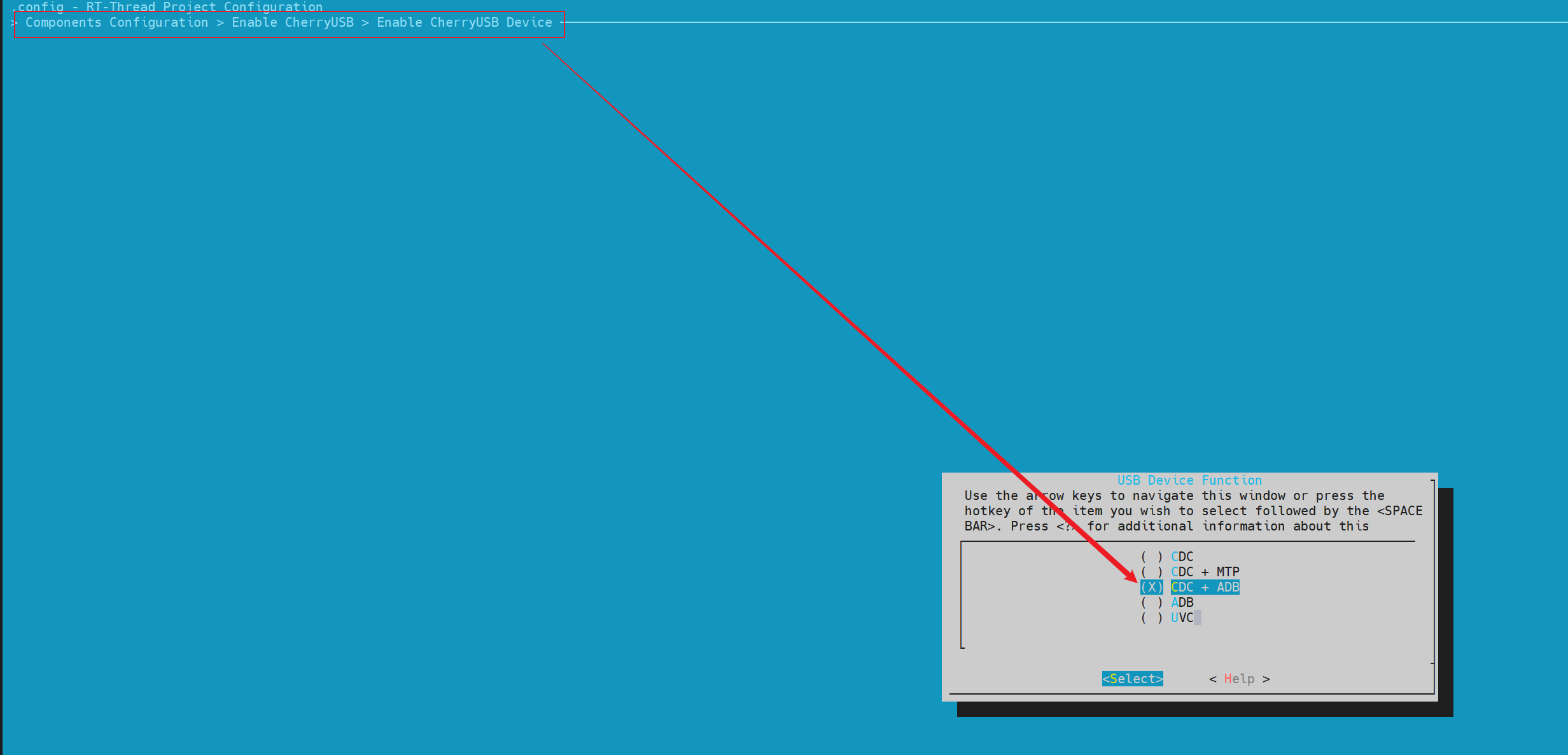
make rtsmart-menuconfig

# Find the corresponding configuration item
Components Configuration > Enable CherryUSB > Enable CherryUSB Device

# Select to enable the feature
Select CDC + ADB or ADB
Host Environment Configuration#
Windows Environment#
Download Android SDK Platform Tools:
Visit the Android Developer official website
Download the platform-tools archive for the corresponding platform
Extract and configure environment variables:
   # Add the platform-tools directory to the system PATH environment variable
   C:\path\to\platform-tools
Verify the installation:
adb version
Linux Environment#
# Ubuntu/Debian system
sudo apt update
sudo apt install android-tools-adb

# Or download platform-tools
wget https://dl.google.com/android/repository/platform-tools-latest-linux.zip
unzip platform-tools-latest-linux.zip
export PATH=$PATH:$(pwd)/platform-tools
ADB Command Description#
Device Connection Verification#
After connecting the device, execute the following command on the PC to verify the connection:
# View the list of connected devices
adb devices

# Expected output:
# List of devices attached
# device
ADB Shell#
Entering the Interactive Shell#
adb shell
Executing a Single Command in the Shell#
Basic Syntax#
adb shell <command>
Usage Examples#
# View memory usage
adb shell free
ADB File Transfer#
adb push - Upload file to device#
Basic Syntax#
adb push <local_file_path> <remote_file_path>
Usage Examples#
# 上传单个文件
adb push C:\Users\user\test.txt /tmp/test.txt

# 上传文件并重命名
adb push ./local_config.json /tmp/config.json

# 上传到特定目录
adb push ./app.bin /tmp
adb pull - Download file to PC#
Basic Syntax#
adb pull <remote_file_path> [local_file_path]
Usage Examples#
# 下载单个文件
adb pull /tmp/syslog ./logs/

# 下载并重命名
adb pull /tmp/debug.log ./debug_backup.log

# 下载到当前目录
adb pull /home/user/config.json ./
Precautions#
The file transfer function only supports a single file and does not support transferring directories.
If adb suddenly disconnects during use, it may be because the USB cable was moved; try wiggling and firmly reinserting the USB cable.